

Hand a spec to a coding agent
This guide shows you how to give a coding agent the build packet of a spec doc, and how to read its build reports.
A handoff is one record that a builder took the build packet of one version of a bundle. Speccy records the version and the verdict at that moment. Speccy never runs the build. The agent builds, and Speccy keeps the record.
What the build packet holds
Section titled “What the build packet holds”- The spec doc and every asset of the bundle, at the current version.
- The spec doc of each bundle that this one links to, such as the PRD that an SDD implements.
- Each external link, with its kind and its URL. A code target also carries the commit that the last run read.
- The trace IDs that the doc defines, in document order.
- The build questions of the newest full review, with the answer that the readers agreed on. A question that the readers read differently, or that the doc does not answer, carries no answer.
HANDOFF.md, the re-entry prompt.
The packet holds no findings and no review report. They describe the quality of the doc, and a builder builds from the doc itself.
Take the build packet
Section titled “Take the build packet”The verdict must be Build Ready, and it must belong to the current version. Otherwise Speccy refuses the packet and says why: no review, a stale verdict, or the count of MUST findings to fix.
On a Build Ready doc with no handoff, the next action reads Hand it to a builder. On any doc, More → Hand it to a builder opens the same dialog.
-
Click Hand it to a builder.
-
Optional: in Label, name the work, such as a repo, a branch or a ticket.
-
Click Download the build packet.
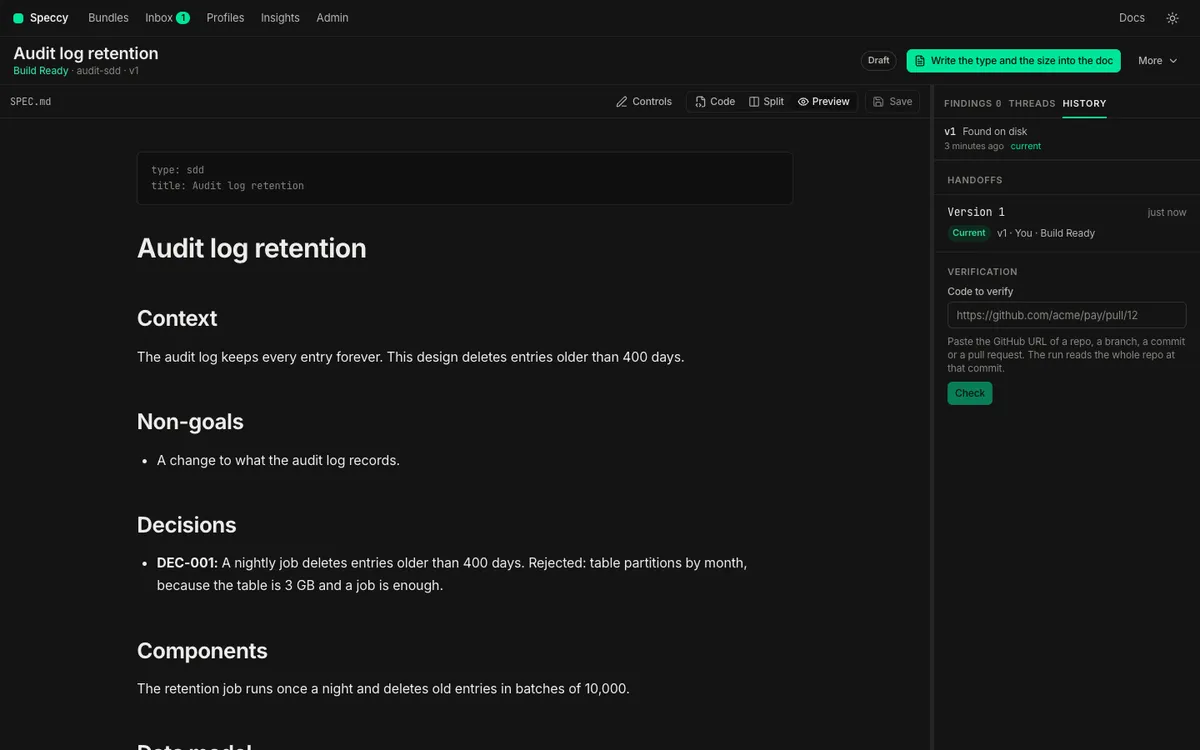
Speccy records the handoff and downloads a .zip file, such as payment-retries-v3-build-packet.zip. The .zip holds one folder with the files that speccy handoff --out writes. The History tab of the rail opens, and it lists the new handoff with its label.
When the verdict is not Build Ready, or is stale, the dialog says why. Download the build packet stays off until you select Take it anyway.
Under Copy for a coding agent, the dialog shows the speccy handoff command for this spec doc and a prompt that names the MCP tool handoff_bundle. Click Copy, and give the command or the prompt to the agent. The agent then takes the packet, and Speccy records that handoff. The command shows only in local mode, for a spec doc in the folder that Speccy serves.
Ask the agent to call handoff_bundle with the bundle’s slug or ID. The tool returns the packet inline, with HANDOFF.md as text.
label names the work, such as a repo, a branch or a ticket. acknowledged: true takes the packet from a bundle that is not Build Ready.
Run the command in the folder that Speccy serves:
speccy handoff docs/specs/refunds --out ../packet --label acme/paymentsSpeccy writes the packet as a folder, and it prints the path of HANDOFF.md. With no --out, the folder is handoff. --acknowledged takes the packet from a bundle that is not Build Ready.
Put the folder outside the folder that Speccy serves. Inside it, Speccy reads the spec docs of the packet as new spec docs.
Directorypacket/
- SDD.md the spec doc
Directoryassets/
- refund-states.svg
Directorylinks/
- PRD.md the spec doc of a linked bundle
- HANDOFF.md the re-entry prompt
The command uses .speccy/state/, the store that the app keeps beside your docs, and it records the handoff there. In a folder with no .speccy/state/, the command uses a temporary store, and the record does not stay.
Set up the MCP server
Section titled “Set up the MCP server”Add Speccy as an MCP server that runs speccy mcp in the folder with your docs. In Claude Code:
claude mcp add speccy -- speccy mcpspeccy mcp serves the tools over stdio, as the local user. It uses .speccy/state/, so the app, the CLI and the agent share the same reviews, threads and handoffs.
The same tools are at /mcp on the server, over streamable HTTP.
-
Open Account. Under API tokens, name a token and click Make a token.
-
Copy the token. Speccy shows it one time.
-
Add the server to the agent, with the token as a bearer token. In Claude Code:
Terminal window claude mcp add --transport http speccy https://speccy.example.com/mcp --header "Authorization: Bearer <token>"
A tool can do what the owner of the token can do in the app, and nothing more.
MCP tools lists each tool and its input.
What the re-entry prompt says
Section titled “What the re-entry prompt says”HANDOFF.md is the file an agent reads first, and again after it loses its context. It has five parts:
- Read: the spec doc, its assets, the linked docs and the external links.
- Answers: each build question with its agreed answer. A question with no agreed answer says to ask the author first.
- Work: one unchecked line for each trace ID of the doc. A doc with no trace IDs asks the agent to write the list itself.
- If you get stuck: the handoff ID, and how to send a build report.
- Done when: every line ticked, and the project’s own checks pass.
The agent owns the file after the handoff, and it ticks the lines as it works. Speccy never reads it back.
Read the build reports
Section titled “Read the build reports”A build report is what the agent tells Speccy about the doc. It names the handoff ID from the packet. It also names a section heading path or a trace ID, so the question lands on that text.
- Blocked report: the agent cannot build a section without an answer. Speccy opens a blocking thread, and the bundle is Not Build Ready until a person resolves it.
- Note: the agent built something, but the doc was unclear. Speccy opens an ordinary thread. A note changes no verdict.
The agent sends a report with the MCP tool report_build. A builder with no MCP connection uses the CLI:
speccy report docs/specs/refunds --handoff 3f0c2a8e-5b1d-4c7a-9e2f-6a4b8d1c0e97 --blocked --section "Refunds › Data model" --text "Which currency does a partial refund use?"--section takes the heading path, with › between the headings. --trace-id REQ-012 names a trace ID instead. With neither, the thread anchors to the doc. Without --blocked, the report is a note.
-
Open the Threads tab of the rail. The thread title names the kind of report, and the section or the trace ID it is about. A chip shows the version that the builder took.
-
Answer in the thread. Change the doc when the answer belongs in it.
-
Click Resolve. A resolved blocking thread no longer blocks, and the verdict returns to what the review found.
A report against a stale handoff never blocks. The doc changed after the builder took the packet, so the answer can be in the doc already. Speccy opens the report as a note, and the thread says so.
What happens
Section titled “What happens”History lists each handoff, newest first: the label or the version, who took it, and the verdict at that moment. A handoff reads Current until the bundle gets a new version. It then reads Stale, and it names the version the bundle is at now. That tells an author that an edit landed after someone started to build.
Insights shows the false-ready rate of each profile under False ready. It is the share of the handoffs taken at Build Ready that came back with a blocked report. A handoff taken with acknowledged does not count. Sections that blocked a builder lists the sections that the blocked reports name, most frequent first. A high rate means the profile passes docs that a builder cannot build from.
Related
Section titled “Related”- Verify a build: check the code that the agent wrote against the doc.
- Handoffs and build reports.
- MCP tools and CLI.